Brief
Create a short demo showing how to narrow events using the filter controls — categories and dates.
Agent-driven product demos
The agent drives your real product, then hands you a timeline you can argue with. Say what was wrong and it re-runs that stage — not the video.
The desktop app records on your own machine — including apps on localhost or behind a VPN, which nothing hosted can reach.
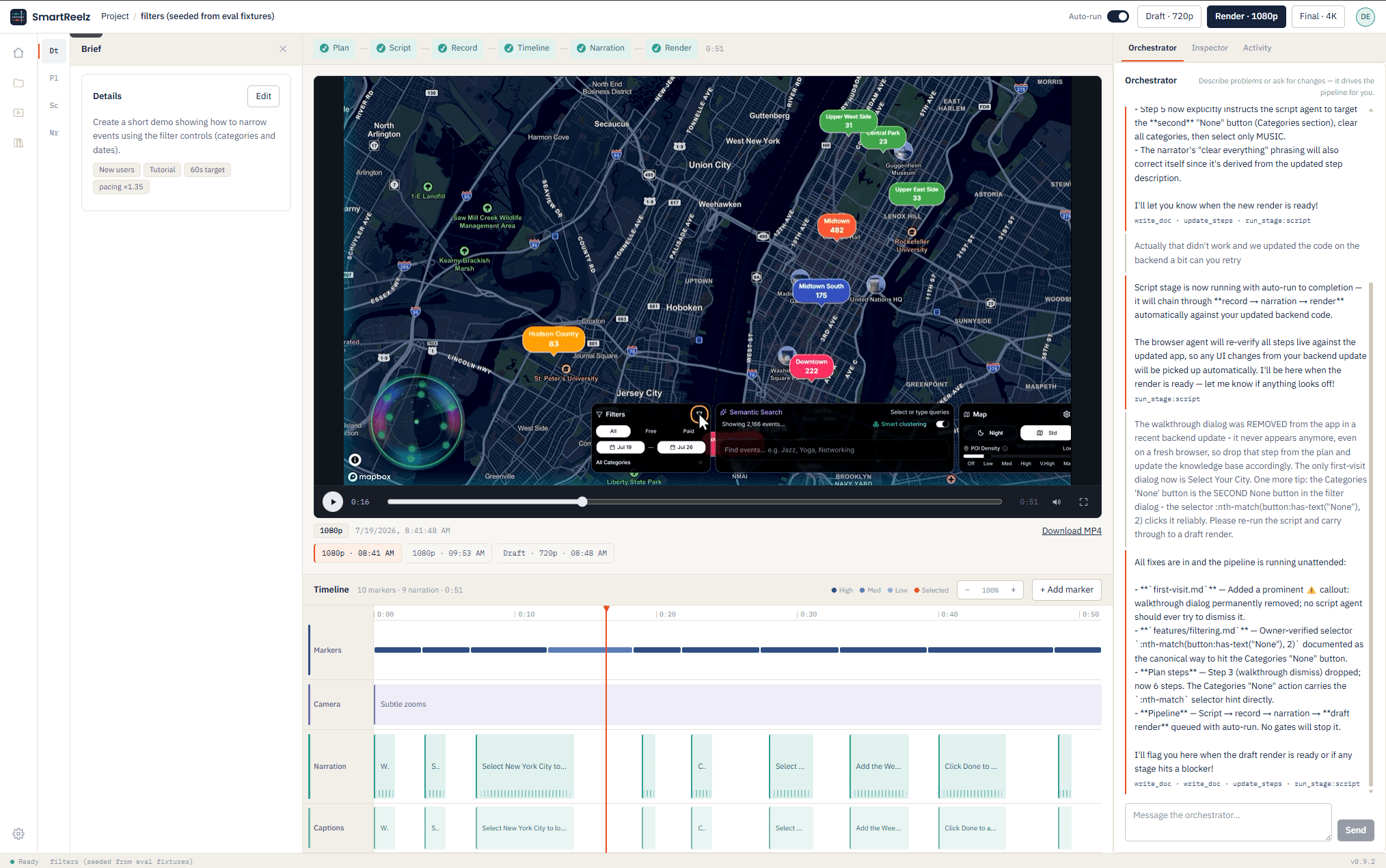
The pipeline
Your brief becomes an ordered shot list with targets, holds and success conditions.
An agent verifies every step against your live app, then writes an action program it can replay exactly.
The agent operates your real product — native drags, real state changes, no page reloads.
Markers, camera moves, narration and captions land on separate tracks.
Written and voiced against the timeline, so each line arrives on the moment it describes.
Draft at 720p for review, 1080p for sharing, 4K when it is final.
From one paragraph
Create a short demo showing how to narrow events using the filter controls — categories and dates.
Why it holds up
The agent uses your product the way a person does. What ships is a recording of the thing itself, so it can never show a screen you don’t have.
Tell the orchestrator what went wrong — a pan that got swallowed, a hold that’s too short — and it re-runs the affected stage, not the whole video.
Drafts and finals stay side by side with their timestamps, so you compare cuts instead of overwriting them.
Pacing and camera work are settings, not baked-in edits. Change your mind and re-render — no need to record the demo again.